
19 December 2025
How to Pay Your Online Security Deposit
Paying your security deposit is quick and secure. This short guide will walk you through the steps to complete the pre-authorisation for your chalet. No money is charged unless needed, and we’ll always contact you first.
To secure your chalet booking, you will need to complete your security deposit online.
This is a pre-authorization (not a payment) and will be automatically released within 30 days after your arrival unless damages are reported.
Step 1: Log in to your Customer Dashboard
- Visit: www.chalets1066.com and click on "Login"
- Enter your email and password
Step 2: Find your upcoming reservation
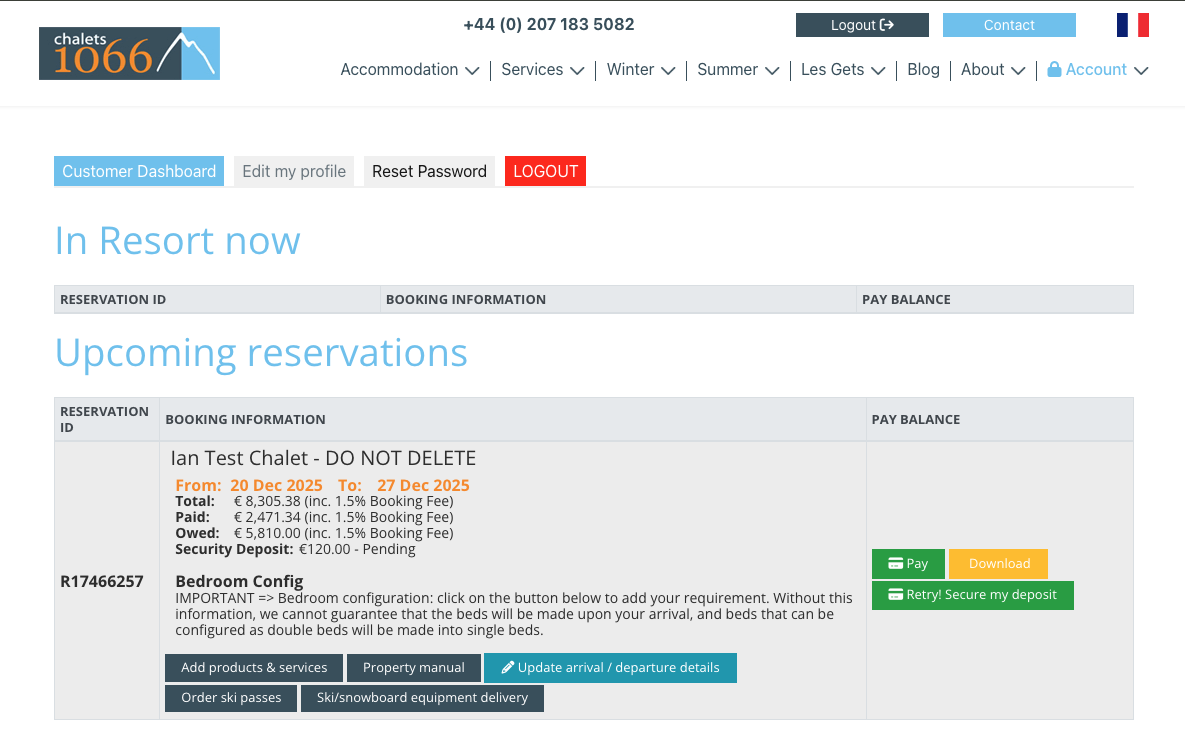
- Go to the section titled "Upcoming Reservations"
- Click on the reservation that shows "Security Deposit: Pending"
Step 3: Click on the green button "Secure my deposit"
- This button will redirect you to the confirmation page ( it says retry on the screenshot because there were a few tests before...)
Step 4: Confirm your details
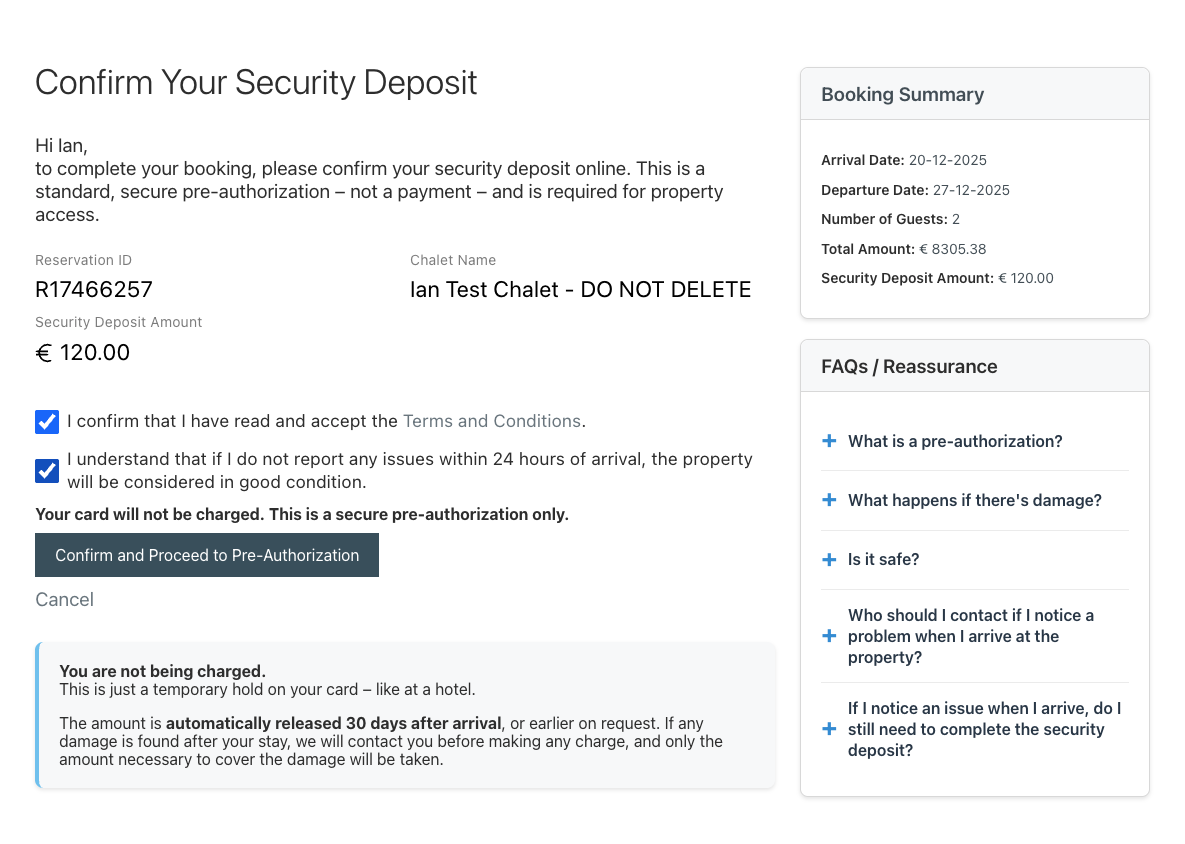
- Check your reservation ID, chalet name, and deposit amount
- Tick the two boxes:
- I accept the Terms and Conditions
- I understand that if I do not report any issues within 24 hours of arrival, the property will be considered in good condition
Step 5: Click on "Confirm and Proceed to Pre-Authorization"
- You will now be redirected to the secure Up2Pay payment gateway
Step 6: Choose your card type and enter your card details
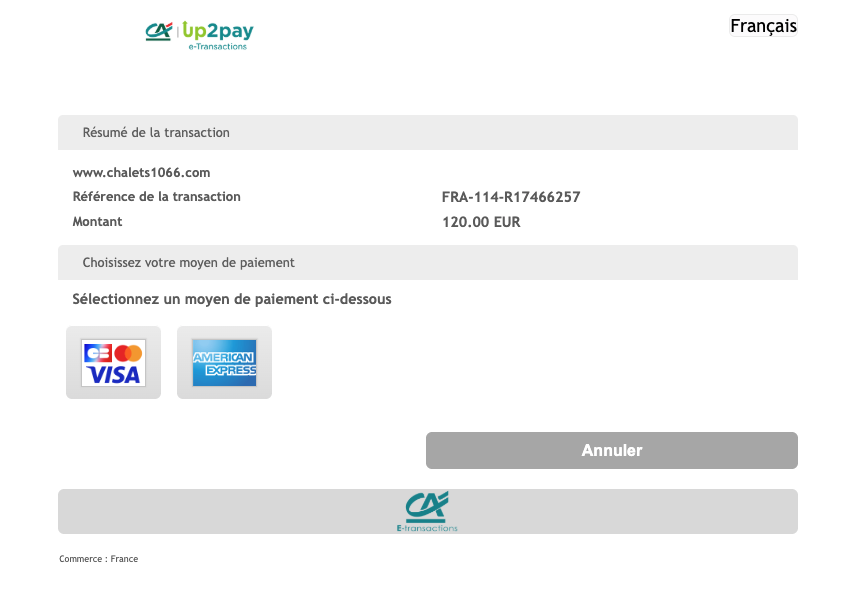
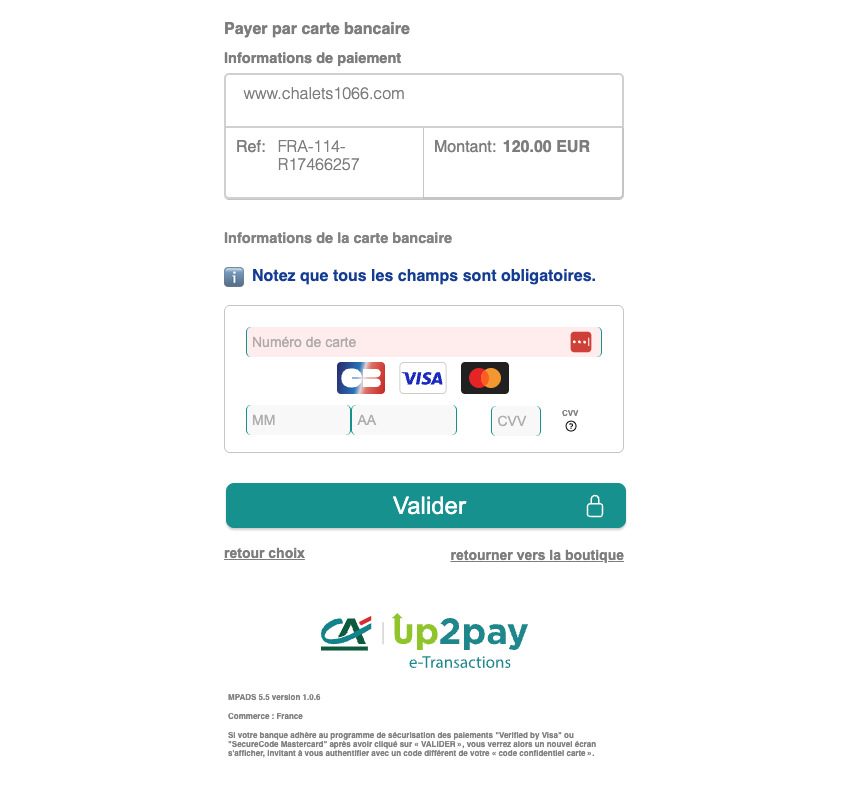
- Fill in your credit card number, expiry date, and security code (CVV)
- Click on "Validate"
Step 7: Bank Validation & Done!
- You will have to go through your bank verification process ( 3DSecure). Please check your bank app.
- When the verification is done, you will see a confirmation page.
- A temporary hold (not a charge) has been placed on your card.
- The deposit will be automatically released 30 days after arrival, or earlier on request.
If there is any issue, please contact us at
Tagged as